
AI Integration Module
AI Integration Module allows:
- Draft replies with AI.
- Summarize conversations.
- Make replies more professional (check spelling, grammar, etc).
Module is free. In order to install the module – download it using “Download Now” button. Installation Instructions are available here.
Bug reports and pull requests should be submitted to the module’s GitHub repository.
Supported AI Providers
OpenAI, Gemini (Google AI Studio), Anthropic (Claude), DeepSeek, xAI, Mistral AI, Groq, Perplexity, Together AI, Fireworks AI, DigitalOcean Serverless Inference, Z.AI, Ollama (Local), LM Studio (Local), OpenRouter, Custom (OpenAI-compatible).
Google’s Gemini offers API keys with relatively generous free tiers. If you don’t know what model to choose – use some “gemini-x.x-flash-lite” model.
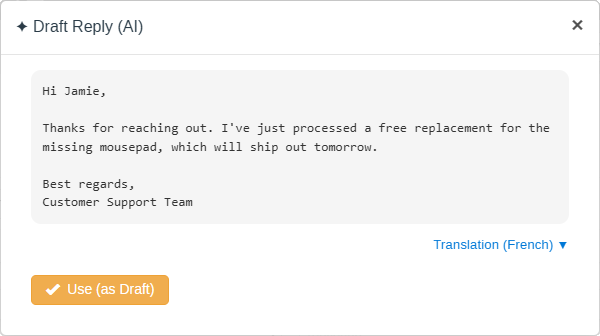
Drafting replies with AI
Summarizing conversations

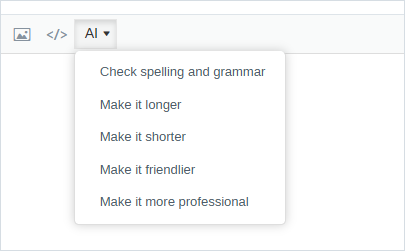
Making replies more professional
You can improve your replies with AI right from the editor.
Troubleshooting
Sometimes it takes some time to receive a response from AI
AI Providers may have temporary performance issues – sometimes their models are overloaded. In such case you can just wait or try to choose some other less loaded model.